Customer expectations are changing. People want quick answers, personalized assistance, and solutions that work without waiting in long support queues. For businesses handling hundreds or thousands of customer inquiries, meeting these expectations can be challenging.
This is where AI agents can make a difference. Unlike traditional support chatbots that follow predefined scripts, AI agents can interpret customer requests, retrieve relevant information, decide which actions are appropriate, and complete specific tasks within defined permissions.
From checking order status to troubleshooting technical issues, customer support AI agents can help businesses resolve routine inquiries faster while allowing human support teams to focus on complex problems.
In this article, we'll explore how AI agents work in customer support, their key use cases and benefits, implementation challenges, and how businesses can introduce them successfully.
1. What Are AI Agents in Customer Support?
AI agents are software systems that use artificial intelligence to understand requests, work toward defined goals, and perform tasks using approved tools and business systems.
In customer support, they can answer questions, look up account information, classify support tickets, guide customers through troubleshooting, and initiate actions such as creating a service request or processing an eligible return.
For example, imagine a customer contacts an online store because an order has not arrived.
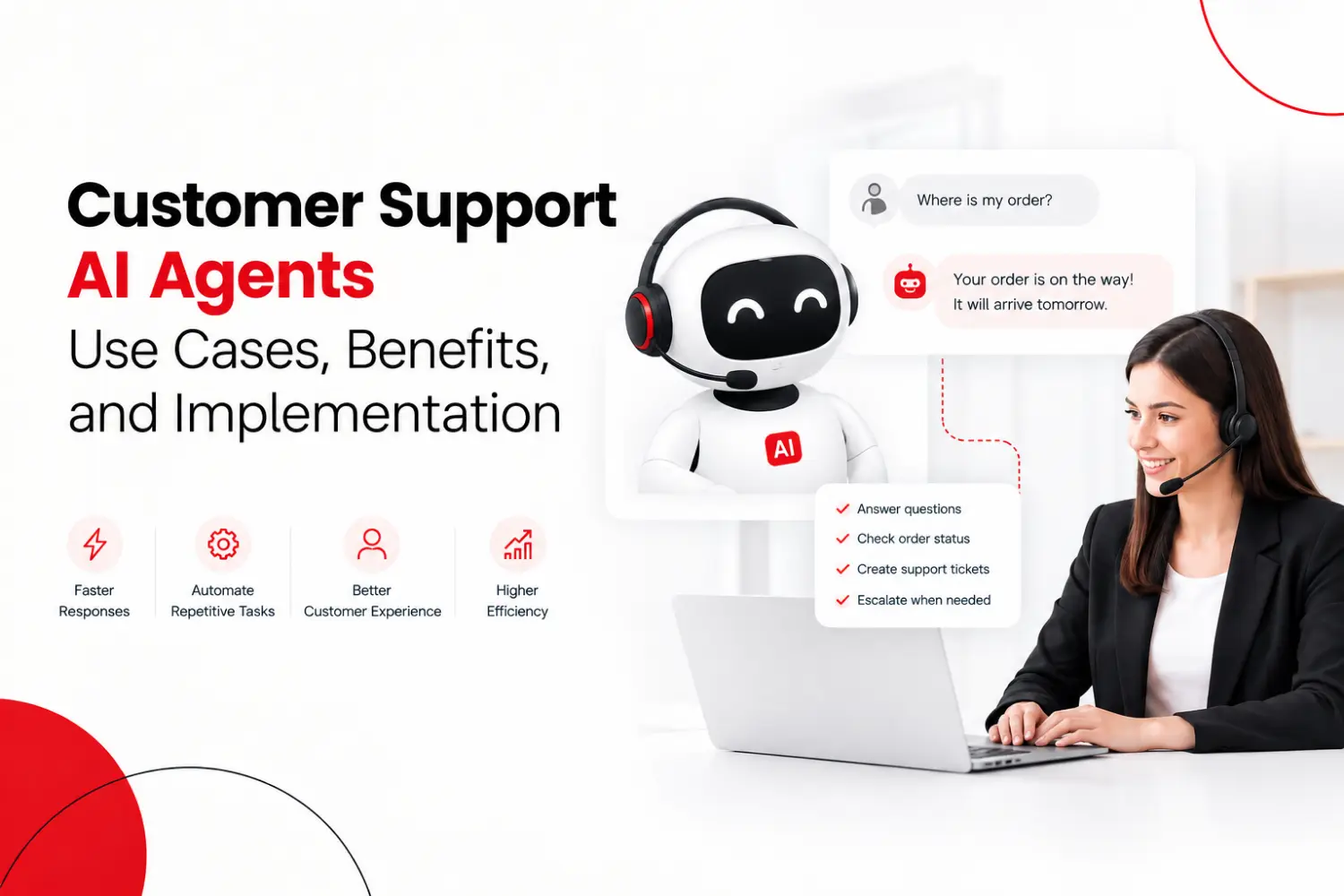
A basic chatbot might display a link to the order-tracking page. An AI agent could understand the customer's concern, retrieve the order status through an authorized system integration, explain the latest delivery update, and create a support ticket if the shipment appears delayed.
The difference is that the agent can do more than provide information. It can also take action within the boundaries established by the business.
AI agents can support customers through website chat, messaging platforms, email workflows, and voice interfaces, depending on the tools and integrations available.
However, they are not completely independent or always accurate. Their performance depends on the quality of their knowledge sources, system integrations, permissions, and safeguards.
2. How Do Customer Support AI Agents Work?
Customer support AI agents combine language understanding, business information, decision-making capabilities, and integrations to manage customer requests.
A typical workflow includes the following steps.
Step 1: Understand the Customer's Request
The agent interprets the customer's message to identify the underlying issue and intended outcome.
Natural Language Processing (NLP) enables AI to understand what customers mean, even when their questions contain errors or are phrased differently. This helps AI-powered support systems interpret requests and provide more relevant responses.
For example, a message such as "I paid yesterday, but my account still says unpaid" indicates a billing or payment-status concern.
The agent uses this context to determine what information or action is needed.
Step 2: Retrieve Relevant Information
The agent searches approved knowledge sources, such as FAQs, product documentation, troubleshooting guides, order records, or customer service policies.
For account-specific requests, it may need to verify the customer's identity before accessing private information.
Connecting an AI agent to reliable, up-to-date information helps it provide responses that reflect the business's actual policies and records.
Step 3: Determine the Next Action
Based on the request and available information, the agent determines the appropriate next step.
It might explain a policy, ask a clarifying question, check an order, initiate a workflow, or route the issue to a human representative.
The agent should only take actions it is authorized to perform.
Step 4: Execute the Task
When an action is required, the agent uses approved integrations, APIs, or workflow tools to interact with the relevant business system.
For example, it might retrieve a shipment update from an order-management system or create a support ticket in a customer relationship management (CRM) platform.
The system should verify that the action succeeded before the agent tells the customer it has been completed.
Step 5: Confirm the Outcome or Escalate
The agent communicates the result and explains any necessary next steps.
If the request is too complex, the information is unavailable, or the issue requires human judgment, the agent should transfer the conversation to a support representative with the relevant context.
This prevents customers from having to repeat their entire issue and helps human teams continue the conversation more efficiently.
For more implementation guidance, see Microsoft's customer support agent architecture.
3. Types of AI Agents Used in Support
Not every AI tool works the same way. Here is a simple breakdown:
AI Agent Type | Best For | Key Feature |
Rule-Based Chatbots | Simple FAQs | Fast and low cost |
NLP Chatbots | Complex questions | Understands context |
Voice AI Agents | Phone support | Speaks naturally |
Predictive AI | Proactive help | Spots issues early |
Email AI | High inbox volume | Auto-routes and replies |
Pick the right type based on where your customers reach out and how complex their questions usually are.
4. AI Agent vs. Chatbot: What Is the Real Difference?
Traditional chatbot | AI agent | |
How it talks | Follows scripts and fixed menus | Interprets varied, natural requests |
What it knows | Preset answers | Pulls from connected, approved sources |
What it can do | Show links, run fixed flows | Choose and run approved actions |
Hard cases | Gets stuck off-script | Handles some multi-step requests, escalates the rest |
Main risk | Frustrating dead ends | Confident wrong answers or wrong actions |
The line is blurry. Modern chatbots use generative AI, and agents often run inside structured workflows. Do not buy on the label. Buy on whether the system can reliably understand the goal, reach the right data, finish the task, and know when to stop.
For a plain FAQ page, a chatbot is often enough. For multi-step work across several systems, an AI agent earns its cost. If you are mapping what else can be automated, see our guide to the best business automation tools.
5. Key Use Cases of AI Agents in Customer Support
AI agents are most useful when support teams handle recurring requests that require information retrieval, structured decisions, or repetitive actions.
Automated Order Tracking
E-commerce businesses receive frequent questions about shipping, delivery dates, and order status.
An AI agent can retrieve tracking information from an order-management or shipping system and explain the latest update. If a shipment is delayed, it can follow the business's escalation procedure or create a ticket.
This reduces the need for representatives to manually look up routine order information.
Technical Troubleshooting
Software companies often receive support requests involving login issues, configuration errors, missing features, and connectivity problems.
An AI agent can ask diagnostic questions, retrieve relevant documentation, and guide users through approved troubleshooting steps.
For example, if a user cannot access an account, the agent might check the documented recovery procedure and guide them through it. Issues involving suspected account compromise or unresolved technical failures should be escalated appropriately.
Billing and Payment Inquiries
Billing questions often require customers to understand invoices, payment statuses, subscription terms, or refund policies.
With secure access to relevant systems, AI agents can explain invoice details, retrieve payment status, and guide customers through billing procedures.
Sensitive actions, such as issuing refunds or changing payment details, should require appropriate authorization and verification.
Returns and Refund Requests
AI agents can help customers understand return policies, check eligibility, collect required details, and initiate approved return workflows.
For example, an agent might verify whether a product falls within the return window, create a return request, and provide the next steps.
Exceptions involving damaged goods, disputed transactions, or policy violations can be transferred to a human representative.
Ticket Classification and Routing
Support teams frequently spend time sorting incoming tickets by issue type, urgency, department, and required expertise.
AI agents can analyze incoming messages, identify likely categories, summarize the problem, and route tickets according to business rules.
This helps support teams organize requests and prioritize issues that require faster attention.
Appointment Scheduling
Businesses in industries such as professional services, maintenance, and software consulting may use AI agents to coordinate appointments.
An agent can check available time slots, ask the customer for preferences, and create a booking through an authorized scheduling system.
It should confirm the appointment only after the scheduling system verifies that the booking was successful.
Customer Support Across Channels
Customers may contact a business through its website, email, messaging platforms, or phone.
AI agents can help manage these interactions across supported channels. With the right architecture, businesses can maintain consistent answers and pass relevant conversation details between channels or to human representatives.
The goal is to make support more convenient without creating disconnected customer experiences.
6. Benefits of AI Agents for Businesses
Implementing AI agents can improve customer support operations, but the actual results depend on the business's needs and implementation quality.
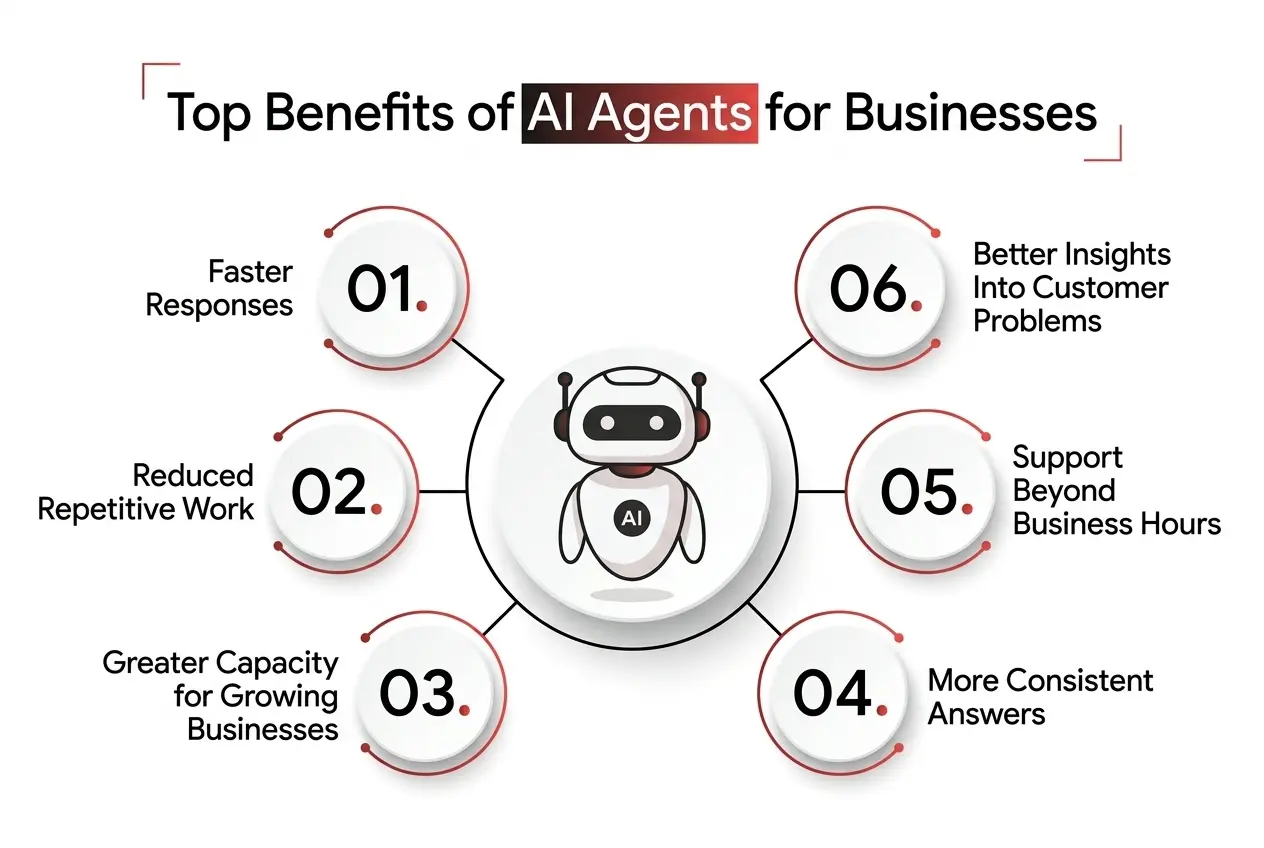
Faster Responses
AI agents can respond to supported requests without requiring a representative to become available first.
They can retrieve information and complete routine workflows quickly, helping reduce waiting time for common inquiries.
Support Beyond Business Hours
AI agents can handle eligible requests outside normal working hours, including nights, weekends, and holidays.
Customers can obtain answers to supported questions without waiting for the next business day. Complex issues may still require a human follow-up.
Reduced Repetitive Work
Support representatives often spend considerable time answering the same questions, checking records, and updating tickets.
Automating suitable tasks can reduce this repetitive workload and allow employees to focus on investigations, exceptions, and customer relationships.
More Consistent Answers
When an agent uses approved knowledge sources and follows clearly defined policies, it can deliver more consistent responses to recurring questions.
Businesses must still maintain their documentation and test the agent regularly to prevent outdated or incorrect answers.
Greater Capacity for Growing Businesses
As customer inquiries increase, AI agents can help businesses handle more routine interactions without requiring every request to be processed manually.
However, increased automation does not eliminate the need for human support. Businesses must maintain enough human capacity to manage escalations and exceptional cases.
Better Insights Into Customer Problems
With appropriate analytics and privacy controls, support interactions can reveal recurring complaints, common product issues, and gaps in existing documentation.
Businesses can use these insights to improve their knowledge base, product experience, and customer support processes.
7. Challenges and Limitations to Consider
AI agents can improve support operations, but introducing them without appropriate controls can create new problems.
Incorrect or Unsupported Answers
AI agents may misunderstand a request or generate an answer that sounds convincing but is incorrect.
To reduce this risk, businesses should connect agents to trusted information sources, restrict unsupported actions, test difficult scenarios, and provide clear escalation paths when the agent cannot answer confidently.
Data Privacy and Security
Customer support systems may contain personal information, billing records, account details, and confidential business data.
AI agents should have only the permissions required for their assigned tasks. Sensitive requests may require identity verification, and organizations should define how customer information is accessed, processed, stored, and retained.
Security controls should also prevent customers from accessing another person's records through conversational requests.
Integration Complexity
An AI agent may need to connect with a CRM, help desk, billing platform, order-management system, or internal database.
These systems may use different data structures, access rules, and APIs. Poor integrations can lead to delayed responses, failed actions, or inconsistent information.
Integration requirements should be assessed before development begins.
Loss of Human Touch
Some customer issues require empathy, negotiation, judgment, or an understanding of unusual circumstances.
An agent should not force customers through repeated automated responses when they need human help. Clear escalation options are essential, especially for complaints, sensitive matters, and unresolved problems.
Ongoing Maintenance
AI agents are not a one-time implementation. Product changes, policy updates, new support requests, and software updates can affect their behavior.
Businesses need to review performance, update knowledge sources, test changes, and monitor integrations continuously.
8. How to Implement AI Agents for Customer Support
A successful implementation starts with a clear business problem rather than choosing an AI model first.
Step 1: Identify the Right Use Case
Review existing support tickets and identify repetitive, time-consuming requests.
Look for tasks that have clear procedures, reliable information sources, and measurable outcomes. Order tracking, FAQs, ticket classification, and basic troubleshooting can be good starting points.
Avoid automating high-risk or highly sensitive decisions before the necessary safeguards are established.
Step 2: Define Goals and Success Metrics
Decide what the agent should improve.
Possible goals include reducing first-response time, resolving more routine requests automatically, reducing manual ticket classification, or improving customer satisfaction.
Record current performance before deployment so that you can compare results afterward.
Step 3: Prepare Your Knowledge Sources
Gather accurate FAQs, help articles, product documentation, troubleshooting instructions, and support policies.
Remove outdated information, resolve conflicting guidance, and assign responsibility for maintaining the content.
The agent should know when information is missing rather than inventing an answer.
Step 4: Choose the Right Architecture and Technology
Select an approach based on the complexity of the use case.
A simple FAQ assistant may need only a knowledge source and a chat interface. An agent that processes returns, checks account records, and updates support tickets may require APIs, authentication, workflow tools, and integration with several business systems.
Evaluate the required capabilities, security controls, scalability, operating costs, and maintainability before selecting a platform or model.
Step 5: Integrate Business Systems Securely
Connect the agent to the systems it needs to perform its assigned tasks.
Use appropriate authentication, least-privilege access, input validation, and controls around sensitive actions. Require additional verification or human approval where necessary.
Make sure the system can detect failed operations and report their status accurately.
Step 6: Define Boundaries and Human Handoffs
Document which requests the agent can handle, which actions it can perform, and which situations require human involvement.
Escalation conditions may include repeated misunderstandings, customer requests for a representative, suspected fraud, sensitive account changes, policy exceptions, or unresolved technical issues.
The handoff should include the customer's request, relevant conversation history, and actions already attempted.
Step 7: Test Before Launch
Test the agent using realistic customer questions, ambiguous requests, unusual scenarios, incorrect assumptions, and attempts to access unauthorized information.
Check whether it retrieves accurate information, follows policies, executes actions correctly, and escalates when required.
Run the agent in a controlled environment before making it available to all customers.
Step 8: Launch Gradually and Improve
Start with a limited use case or a small portion of incoming support requests.
Monitor performance, review failed interactions, collect customer feedback, and improve the agent based on real outcomes.
Expand its responsibilities only when the existing workflow performs reliably.
9. How to Measure AI Agent Performance
The number of conversations handled by an AI agent does not tell the whole story. Businesses should measure whether it actually helps customers and improves support operations.
Important metrics include:
First-response time: How quickly customers receive an initial response.
Resolution time: How long it takes to resolve a support issue.
Resolution rate: The percentage of requests successfully resolved, measured using a consistent definition.
Escalation rate: The percentage of conversations transferred to human support.
Customer satisfaction (CSAT): How customers rate their support experience.
Answer accuracy: Whether the agent's responses match verified information and business policies.
Task completion rate: The percentage of intended actions completed successfully, such as creating a ticket or retrieving an order status.
Cost per resolved issue: The total relevant support cost divided by the number of issues successfully resolved.
No single metric should determine success.
For example, a low escalation rate may appear positive, but it could indicate that the agent is failing to transfer difficult requests to humans. Similarly, a high resolution rate is not meaningful if customers receive incorrect answers.
Evaluate these metrics together, compare them with pre-launch baselines, and review customer feedback to understand the actual impact.
10. What Is the Future of AI Agents in Customer Service?
AI agents are evolving from systems that primarily answer questions into systems that can coordinate more complex support workflows.
Several developments are particularly important.
More Context-Aware Assistance
Agents can use relevant conversation history and authorized customer information to provide more specific responses instead of asking customers to repeat details.
Businesses will need clear controls around memory, data access, and privacy to make this useful and safe.
More Connected Workflows
Agents may coordinate actions across customer support, billing, scheduling, inventory, and CRM systems.
For example, a delivery issue could involve checking the shipment, opening a support ticket, and notifying the appropriate team. Such workflows require reliable integrations and confirmation that each action succeeds.
Collaboration Between Specialized Agents
Some systems may use multiple specialized agents or components to handle different tasks, such as retrieving product information, diagnosing technical problems, or preparing a support case.
This approach can help organize complex workflows, although it also introduces additional coordination, monitoring, and testing requirements.
Stronger Human-AI Collaboration
The most effective customer support systems are unlikely to rely on automation alone.
AI agents can manage routine requests and assist with information retrieval, while human representatives handle complex decisions, exceptions, and situations that require empathy or judgment.
The long-term opportunity is to combine automation with meaningful human oversight.
11. Build Custom or Buy Off the Shelf?
Off-the-shelf support platforms are quick to start and fine for FAQs and basic triage. Custom development makes sense when your agent must work with your own CRM, billing logic, or mobile app, or when your data rules are strict.
At CanDev, we design and build AI-powered software for startups, SMBs, and enterprises, including AI development services and custom web and mobile apps that connect to the systems your team already uses. Our Toronto team starts every AI agent project with the same question: which one task, if automated well, would save your team the most time?
Conclusion
AI agents can help businesses deliver faster customer support, reduce repetitive work, and manage routine requests across multiple channels. Their greatest value comes from combining accurate information with the ability to perform useful tasks within well-defined boundaries.
Successful implementation requires more than adding an AI-powered chat window. Businesses need reliable data, secure integrations, measurable goals, thorough testing, and a clear process for human escalation.
For companies considering customer support automation, the best starting point is a specific, repetitive problem that can be measured and improved over time. Once that workflow proves reliable, the solution can gradually expand to more complex tasks.
Planning a customer support AI solution? CanDev can help businesses evaluate their requirements, design suitable AI-powered workflows, and develop software integrations around their operational needs.